
Version 2.6.1

Meta onboarding: suggest mapping existing parameters
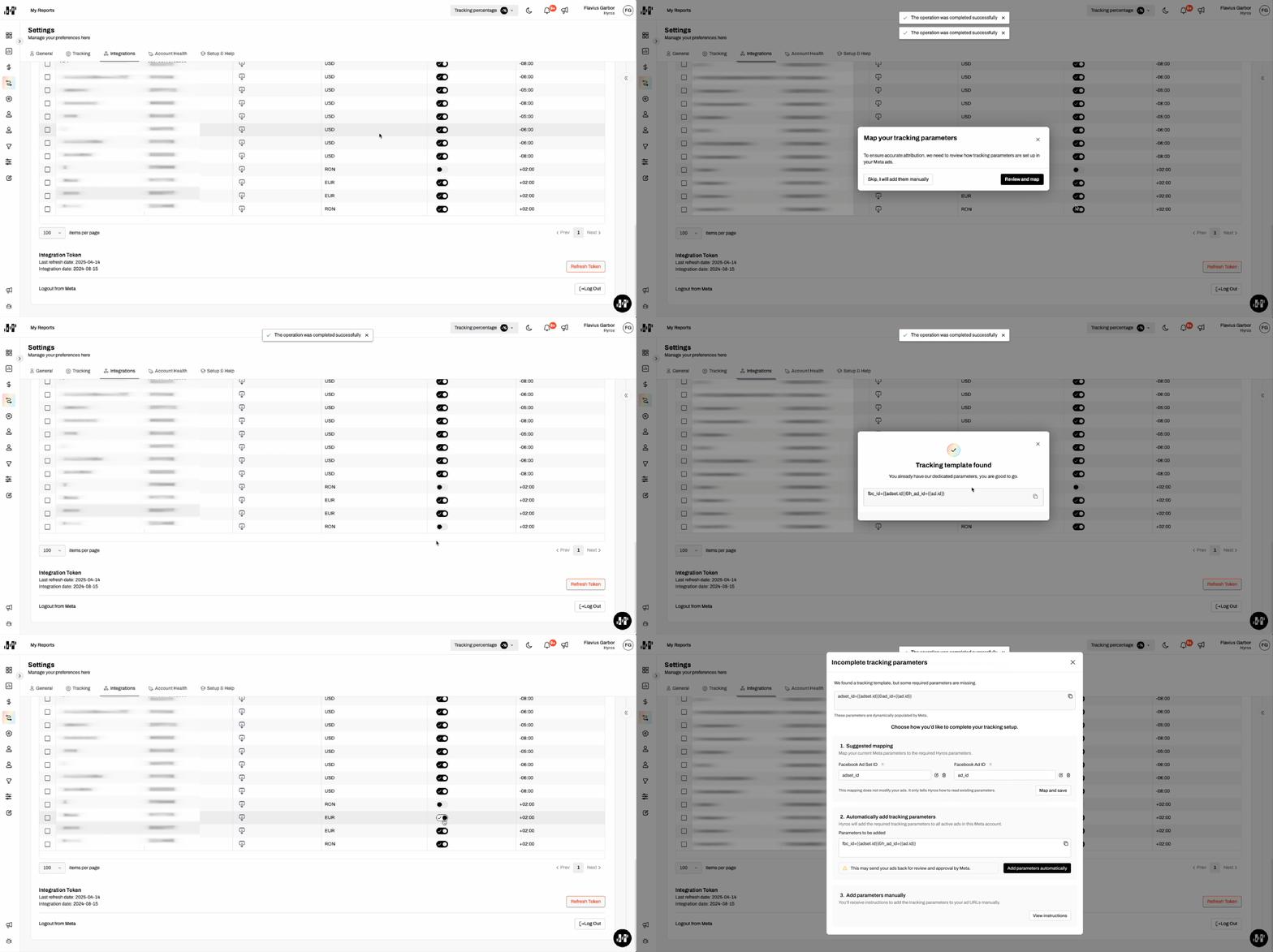
A new rework of the Meta integration to support automatically adding parameters for a faster connection and setup.
The updated Meta integration streamlines your setup with two key features:
- Smart Parameter Detection and Mapping: Hyros now automatically detects existing tracking parameters on your Meta ads. It then suggests mapping these to Hyros parameters, allowing you to maintain your current naming conventions for a faster, yet still fully controlled, setup process.
- Automated Tracking Parameter Injection: When you connect Meta, Hyros can now automatically add the necessary Hyros tracking parameters to your ads. This reduces manual configuration and guarantees consistent, accurate tagging from the start.
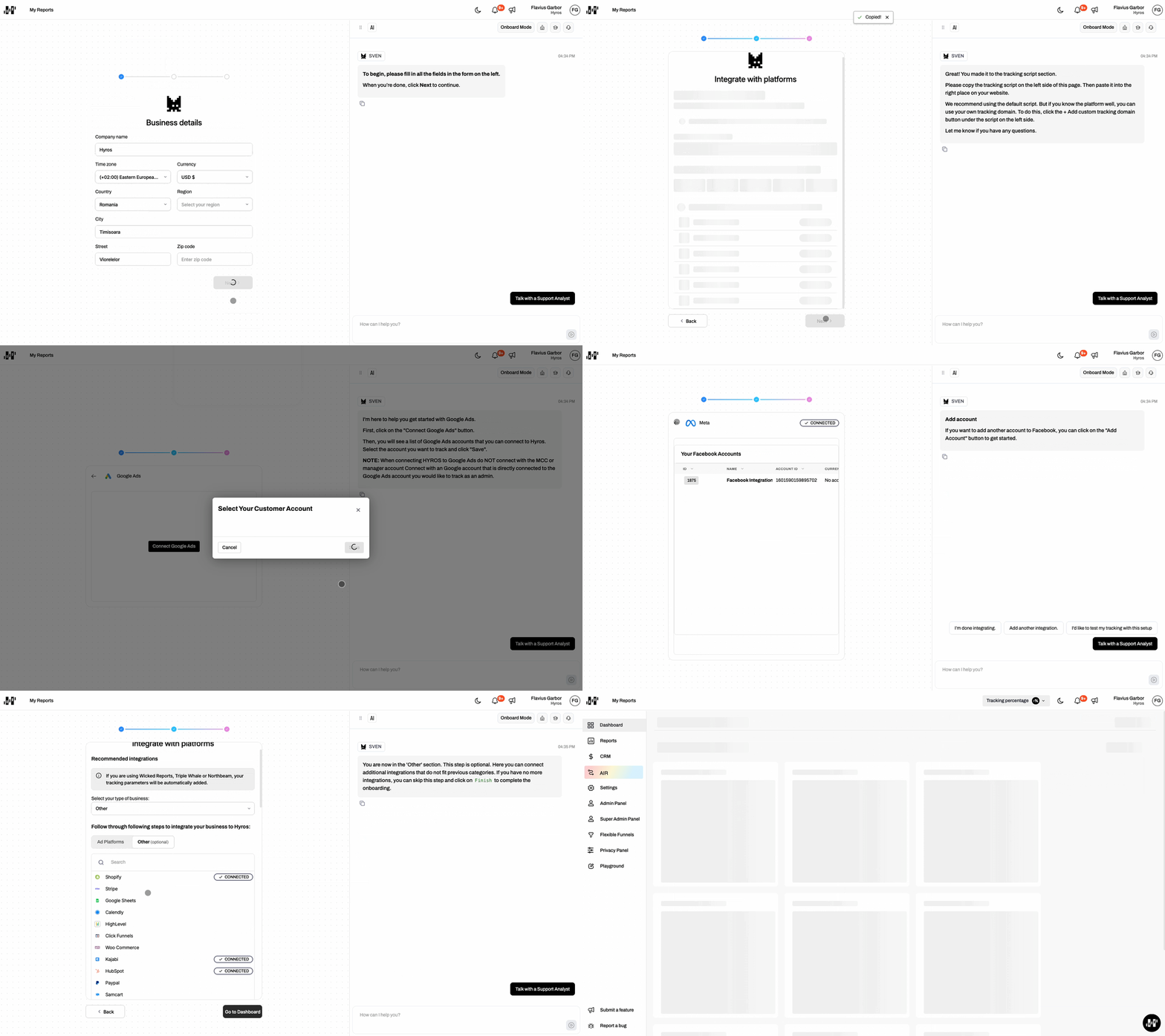
New onboarding experience to guide setup
We implemented a redesigned onboarding flow based on the latest Hyros app UI. New users now see a clearer, more modern experience that better guides them through the initial configuration and key setup steps.
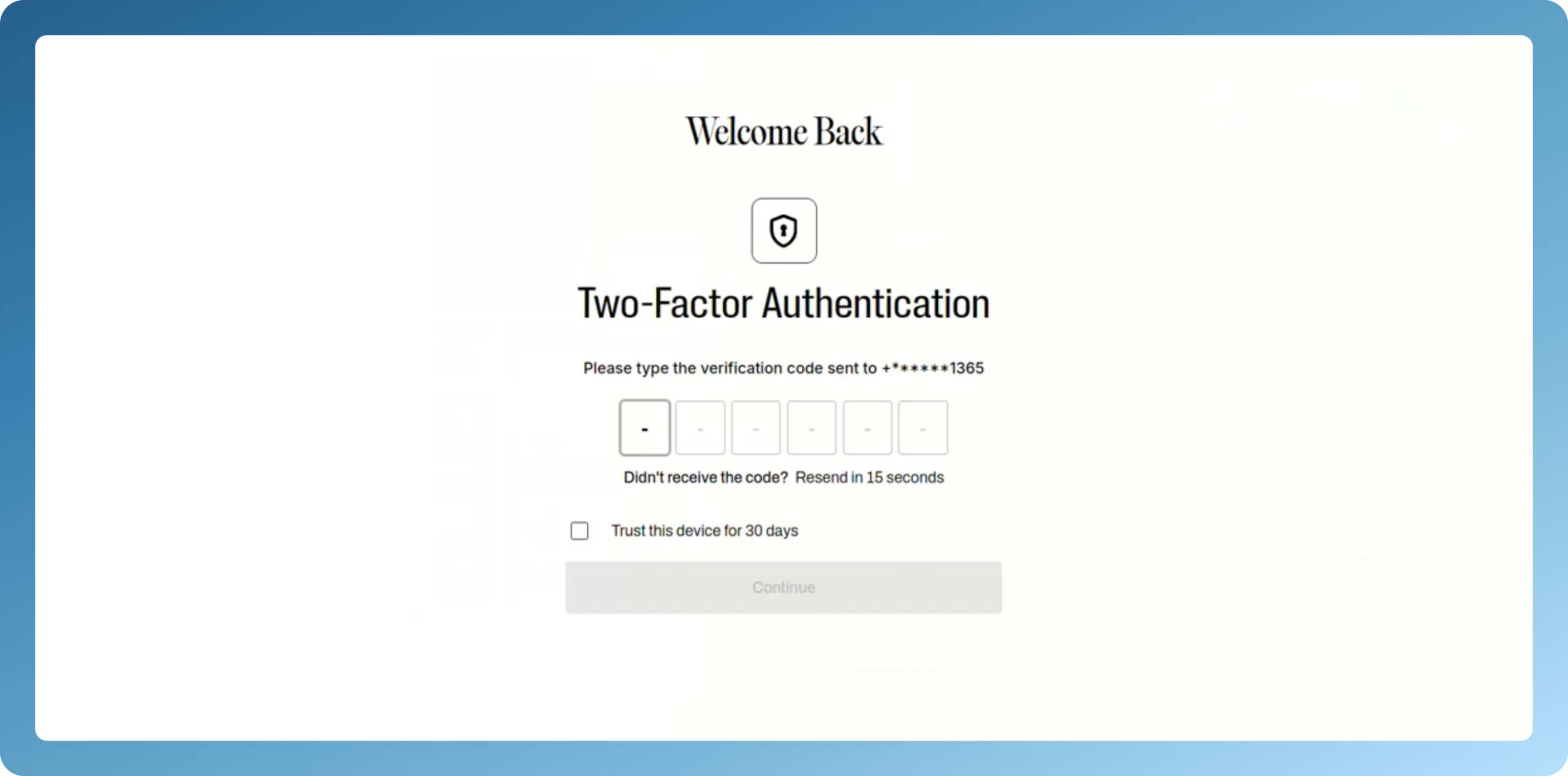
2FA now respected for SSO and login-by-link
Two-factor authentication is now enforced not only on classic login, but also when users sign in via Google SSO or the new oneâtime login link. This keeps accounts secure regardless of which login option is used.
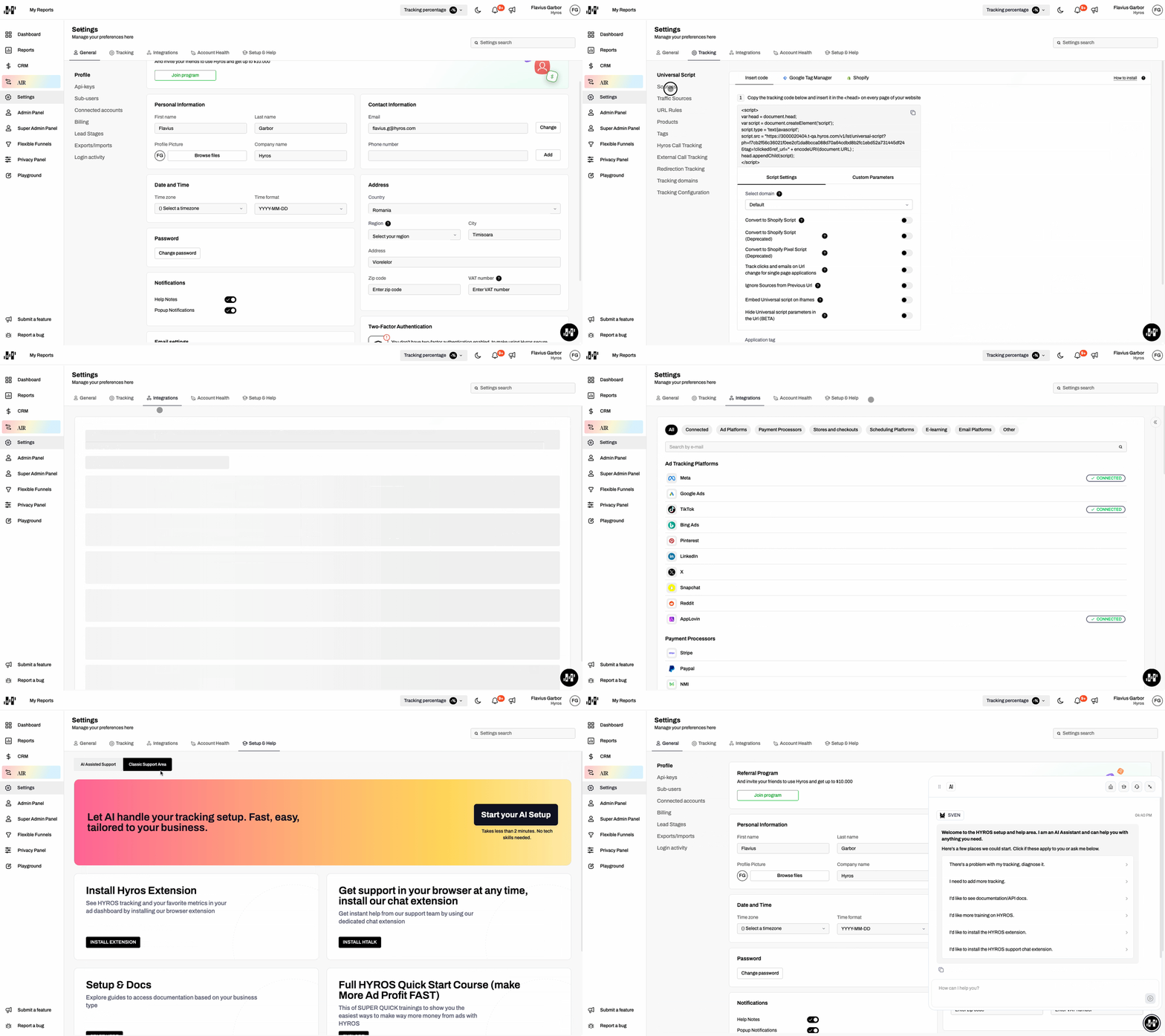
Settings page with a new layout
The Settings area has been rebuilt with the new design system, improving navigation and visual consistency with the rest of the app so it’s easier to find and manage configuration options.
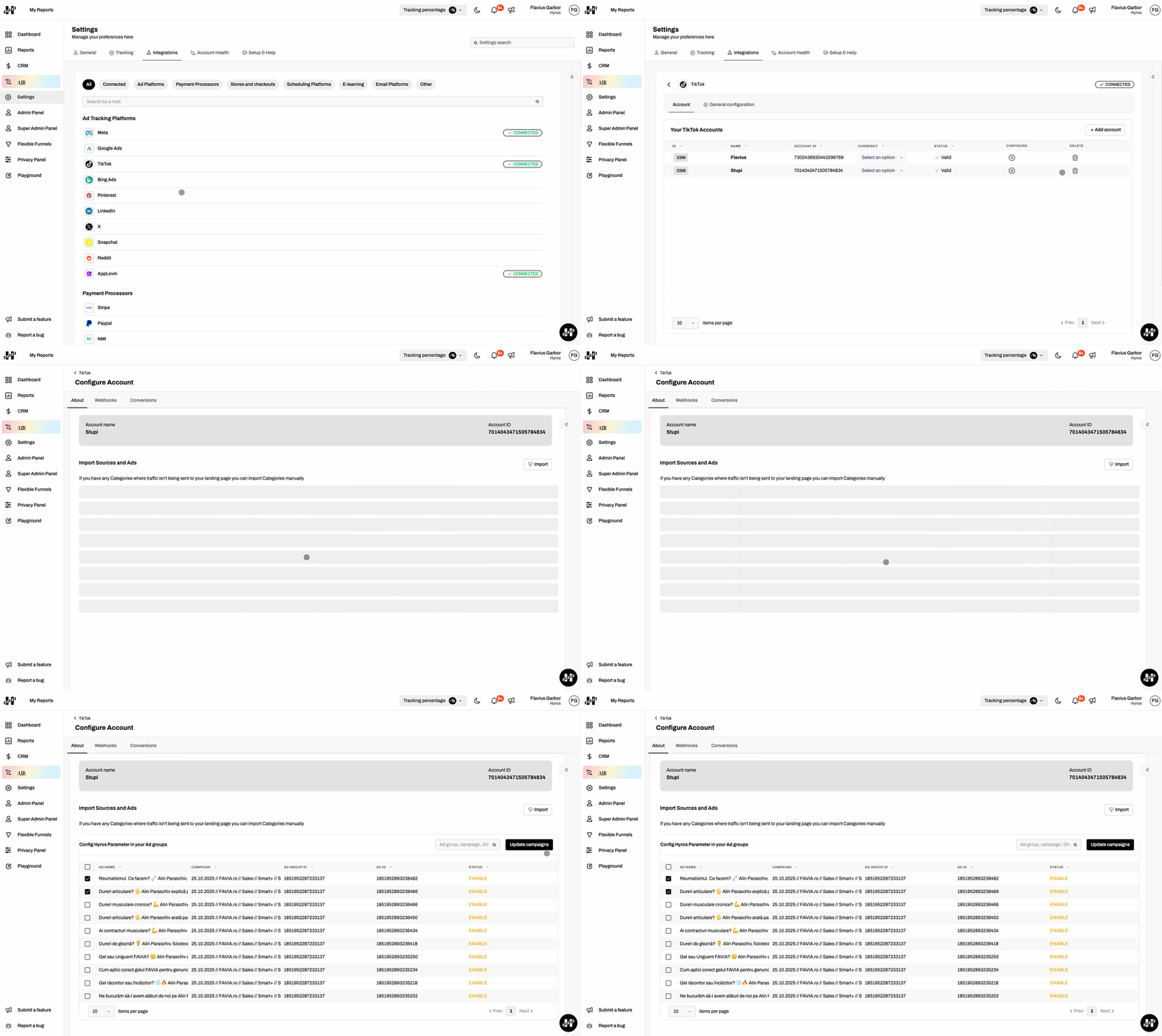
TikTok: automatic ad parameter updates
We implemented a flow that automatically updates TikTok ad parameters, helping ensure your TikTok traffic is consistently tagged and properly attributed inside Hyros without manual edits.
Shopify: new “Require Cookie Consent” option for Hyros pixel
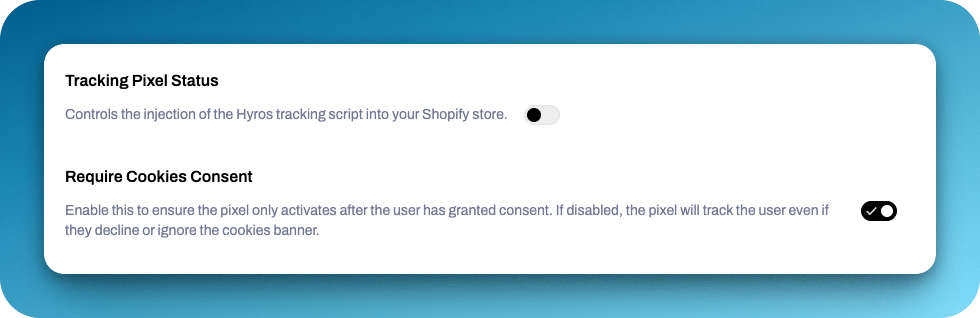
We introduced a new “Require Cookie Consent” setting for the Shopify integration that lets merchants choose whether the Hyros pixel should respect Shopify’s analytics consent or track all visitors regardless of the cookie banner decision.
- When Require Cookie Consent is enabled (default), the pixel behaves as before: it only tracks users who have accepted analytics cookies via Shopify’s consent mechanism.
- When Require Cookie Consent is disabled, Hyros injects the tracking script and records activity even if visitors reject the cookie banner, improving tracking coverage for stores that choose this behavior.
Also, we added another setting, Tracking Pixel Status, which controls the injection of the tracking script. If toggled on, the script will be injected into the store. If not, the script will not be injected and can be added manually.
Improvements & Bug Fixes
Google v1: stop processing legacy click formats after confirmation
Once a user confirms their Google Ads have been updated to the new tracking parameters, Hyros stops processing older “Google v1” click formats. This avoids duplicate or conflicting data from legacy setups.
Google v1 & Shopify: clearer handling of outdated permissions
For older Shopify integrations that don’t have the read_all_orders permission, users are now clearly notified that they need to refresh the token to grant new permissions so syncing can continue without silent failures.
ManyChat: keep tracking after widget deprecation
ManyChat removed the old mcwidget-overlay website widget, which could have broken session tracking. We implemented a workaround so Hyros can still capture the session ID and keep attribution accurate even with the new ManyChat behavior.
HighLevel: process Opportunities as sales
HighLevel integrations now have a toggle to “Process Opportunities as Sales”. When enabled, Hyros imports “won” opportunities as sales and refunds them if the opportunity is deleted, aligning reporting with how you use GHL’s pipeline.
HighLevel: much more reliable token refresh
We deeply reworked how HighLevel tokens are refreshed and cached to avoid the recurring “invalid token” issues that forced some users to reintegrate frequently. Tokens are now updated more reliably in both the database and cache, significantly reducing these errors.
Shopify: clearer 401 handling and recovery
When Shopify returns a 401, Hyros now treats it as an “invalid token” scenario: the integration is marked inactive, a notification is sent, and a button appears in the UI to reactivate access. This makes it obvious what went wrong and how to fix it.
Filter leads by tags now works as expected
The “Filter leads with tags” feature has been fixed for the “By Prefix” and “Text contains (substring)” options. These filters now correctly filter leads (not just Sales columns) and no longer force a $ prefix, so you can filter by source (@), actions (!), subscriptions (#) and more.
Export AD O.C column via CSV
The “AD O.C” column can now be exported when downloading leads from Sales Data or reports, so you keep this attribution detail in your offline analyses and shared files.
Attribution API refactored to support pagination
The /attribution API has been reworked to support pagination across ad IDs. This makes it more scalable and performant for large accounts, avoiding overly heavy requests while still giving access to full attribution data.
Cleaner custom metrics and widgets
When a sale item is removed and related custom metrics are deleted, any widgets that depend on those metrics are also automatically cleaned up. This prevents broken widgets and keeps dashboards tidy and accurate.
More reliable currency conversion and scheduled actions
We improved the way Hyros handles ad account currencies and currency conversion jobs. The system now better identifies missing ad account currency data, avoids duplicate scheduled actions for the same product/account, and keeps source stats correctly reâindexed after currency changes.
Widgets print correctly with full information
Metric summary and reporting gap widgets now display all of their information when printing a view, so PDF/printed reports match what you see on screen.
Automatic cleanup of duplicated leads
A background job now scans for cases where past bugs created multiple leads with the same email, merges their data, and marks one as the parent. This leads to cleaner lead data and more trustworthy reporting.
Faster lead opt-in processing
The lead opt-in process was refactored to significantly improve its average processing time, resulting in more responsive tracking flows when large numbers of leads opt in.
Faster and safer SourceLink updates
Updating many SourceLinks at once no longer causes extremely long transactions. Updates are now processed in smaller units and sales/leads are reprocessed asynchronously, which keeps the system responsive even when many links are updated.
HubSpot webhook handling tuned for performance
We introduced separate topics for HubSpot events, adjusted priorities for specific change sources and discard invalid events earlier. This reduces delays and noise from HubSpot webhooks.