
Version 2.6.2

Reporting UI Upgrade: Tabbed Reports
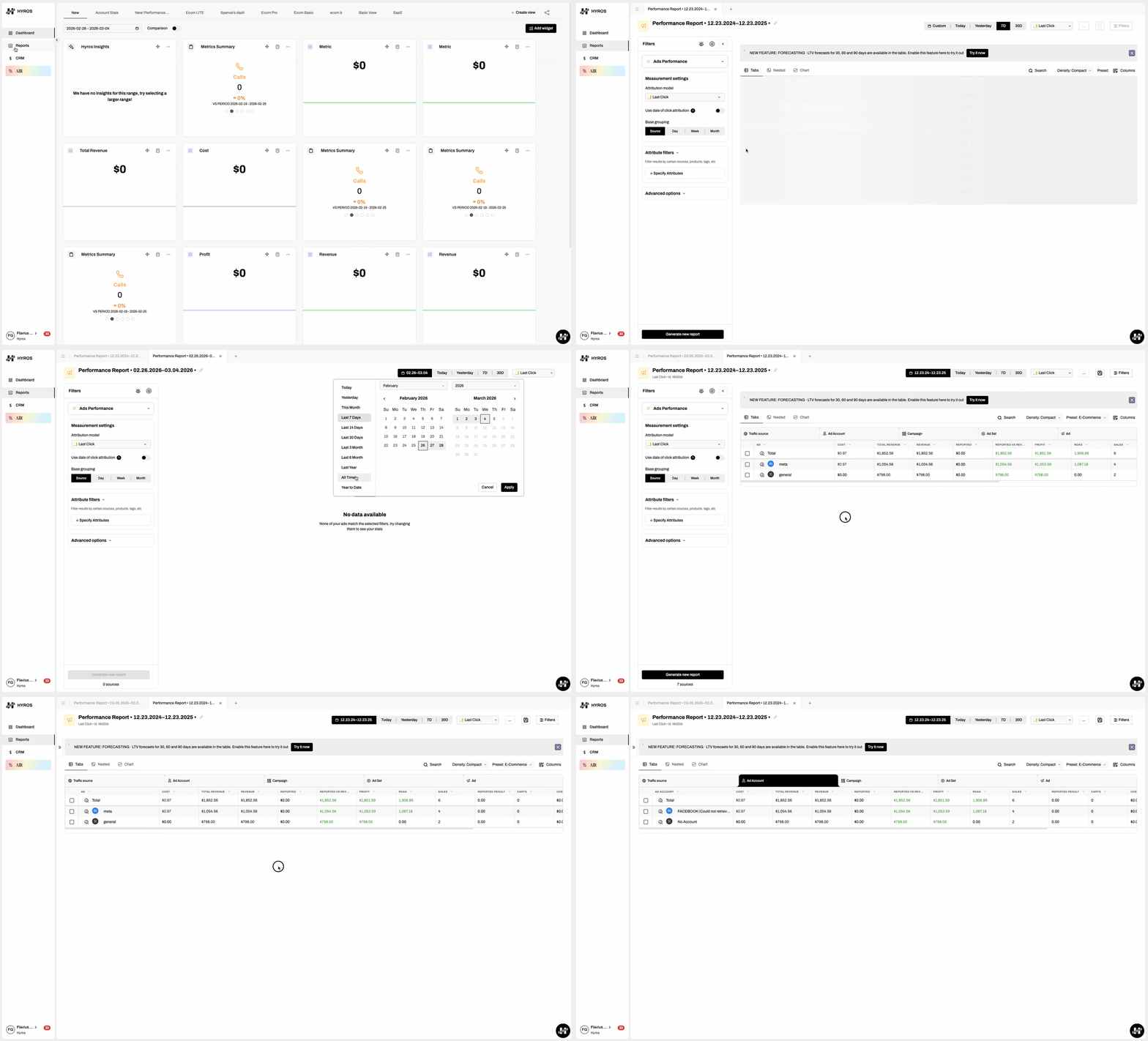
Working with multiple reports just became dramatically easier.
You can now open reports in tabs, switch between them instantly, and keep your workspace organized while analyzing different datasets.
This new tabbed reporting system allows you to:
-
Open multiple reports simultaneously
-
Switch between reports quickly using tabs
-
Keep tab order and report names saved across sessions
-
Automatically update tab titles when a report is renamed
-
Reuse an existing tab when reopening a saved report
This makes Hyros feel more like a modern data workspace—perfect for marketers and analysts who need to compare reports, test attribution models, and explore multiple data views at the same time.
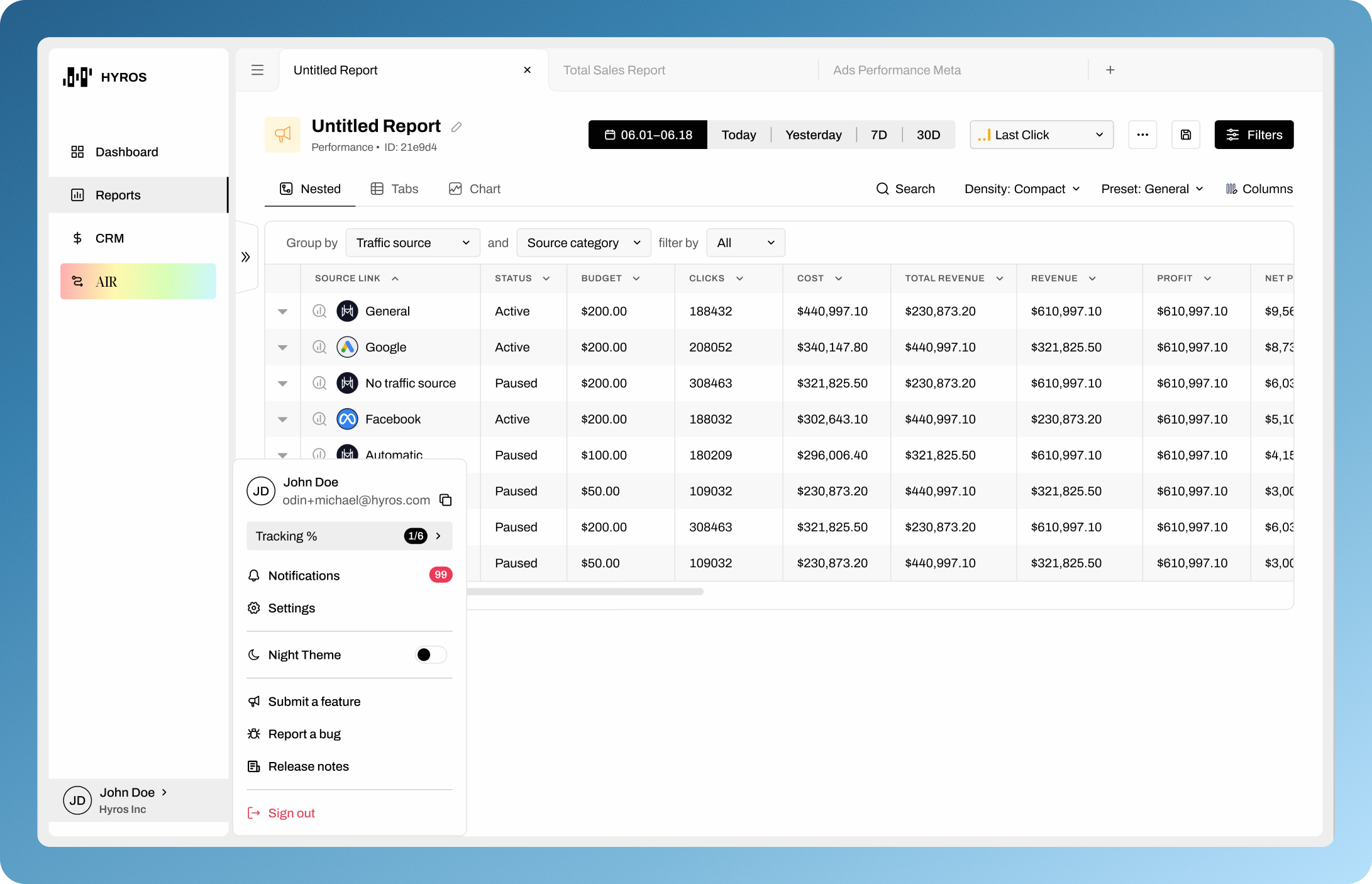
Modernized App Layout & Sidebar Redesign
The main app container and left menu sidebar have been updated with a modern, boxed design. The sidebar now includes user profile access, notifications, and quick links, with improved dropdowns and a more intuitive layout. The top navigation bar has been removed, and key actions are now consolidated in the sidebar for easier access.
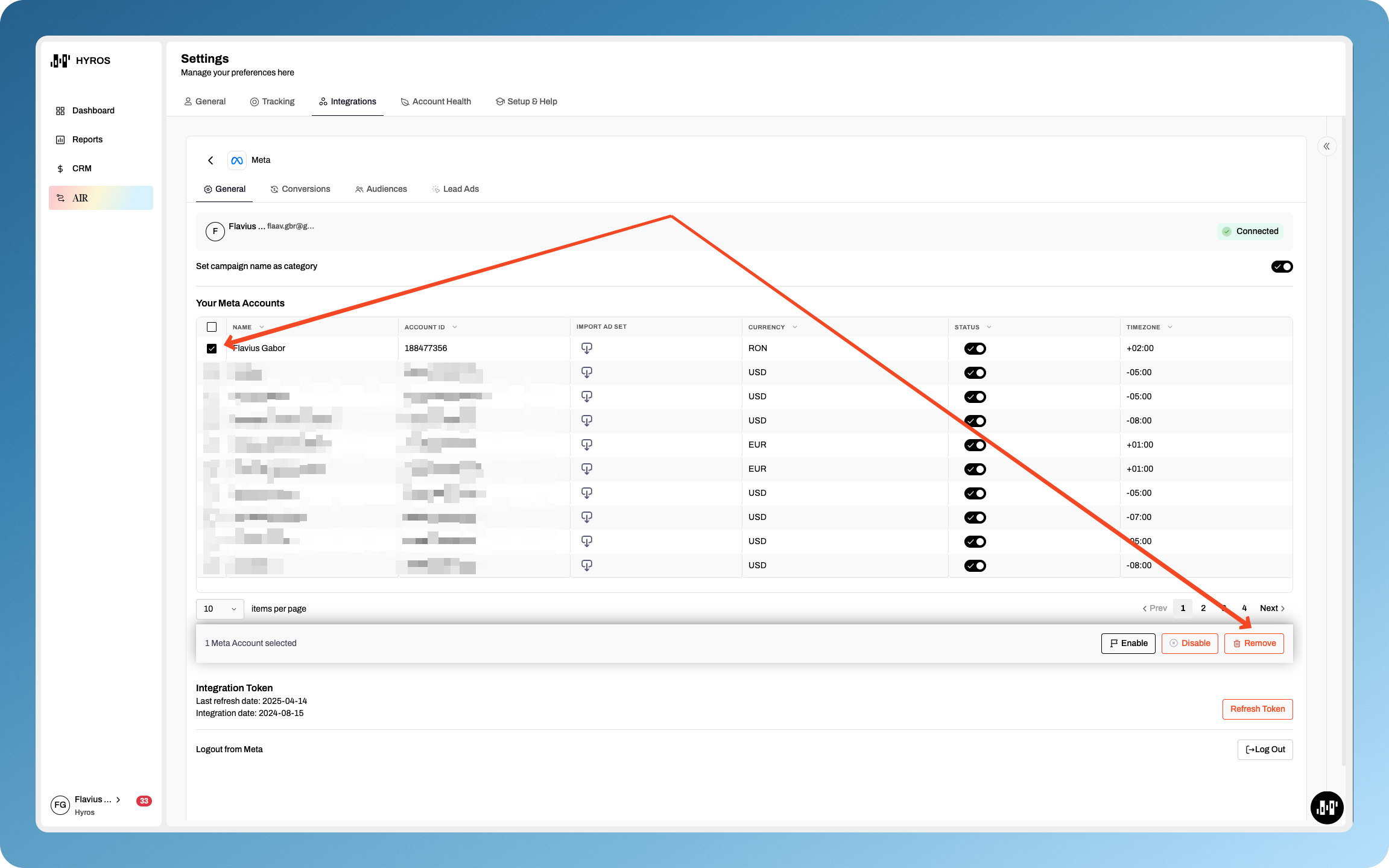
Meta Integration: Remove Ad Accounts
The Meta integration now allows you to enable, disable, or remove ad accounts from the integration list, replacing the previous blacklist/whitelist terminology.
Improvements & Bug Fixes
GHL Integration: Process Opportunities as Sales
A new option allows GoHighLevel users to process “Opportunities” as sales, including support for refunds and partial refunds. Only “won” opportunities are imported as sales, and a new integration scope is required. Users must re-integrate GHL to enable this feature.
Meta CAPI: Location Data & External ID
Hyros now sends city, state, and zip code in Meta Conversions API payloads, and ensures external IDs are always populated, improving Event Match Quality and attribution accuracy.
Meta Conversions: Blocker Investigation & UI Status
Investigated recent Meta conversion issues, resolving blockers and improving the accuracy of conversion status displays in the UI. Conversions older than 7 days are now deleted for performance reasons, and this is reflected in the UI.
Google Conversion Batching Performance
Reduced batching delays for Google conversions, resulting in faster conversion sending and improved reporting performance.
Product Package Filter in Reports
Added the ability to filter reports by Product Package, making it easier to analyze sales by specific offerings.
Deep Dive for Returning Customer Metric
Enabled deep dive (“deep mode”) into the Returning Customer metric for more granular analysis.
AND/OR Logic for Tag Filters
Added “AND/OR” logic to tag filters, allowing more flexible filtering of leads, calls, and sales by multiple tags.
Text Contains & By Prefix for Ad Attributes
Added “Text contains” and “By prefix” options for filtering by ad-level attributes in reports and widgets.
Prefix/Text Contains for Conversion Rules
Added the option to select by prefix or “Text contains” when creating conversion rules for types.
UI-Based Source Filtering in Async Reports & Dashboard
Extended UI-based source filtering logic to async reports and dashboards for more consistent metric-based filtering.
Progress Bar for Lead Reprocessing
Added a progress bar when reprocessing leads, providing clear feedback on bulk operations.
Lead Journey Report Export Fix
Fixed discrepancies between exported and in-app Lead Journey reports.
Comparison Mode Percentages for Linear Fractional Attribution
Fixed an issue where comparison mode percentages were always 0 for certain metrics when using linear fractional attribution.
Top Table Widget: Detailed Report Button
Fixed missing “Go to detailed report” button in top table widgets when grouped by Source Ad.
Leads with No Sources: Pagination Fix
Improved handling of leads with no sources, ensuring accurate pagination and filtering.
Product Blacklisting By Prefix Option
Added a “By Prefix” option when blacklisting products, making it easier to exclude groups of products.
Phone Close Forms have more flexible Requirements
Closing forms now require either an email or phone number (not both), simplifying the process for users and ensuring sales are properly attached to leads.
Kajabi Integration: Grab Currency from Event
Added the option to grab currency directly from event data in Kajabi, improving accuracy for international users.