
Version 2.6.6

Creatives Report: Deep Mode Now Available in Gallery View
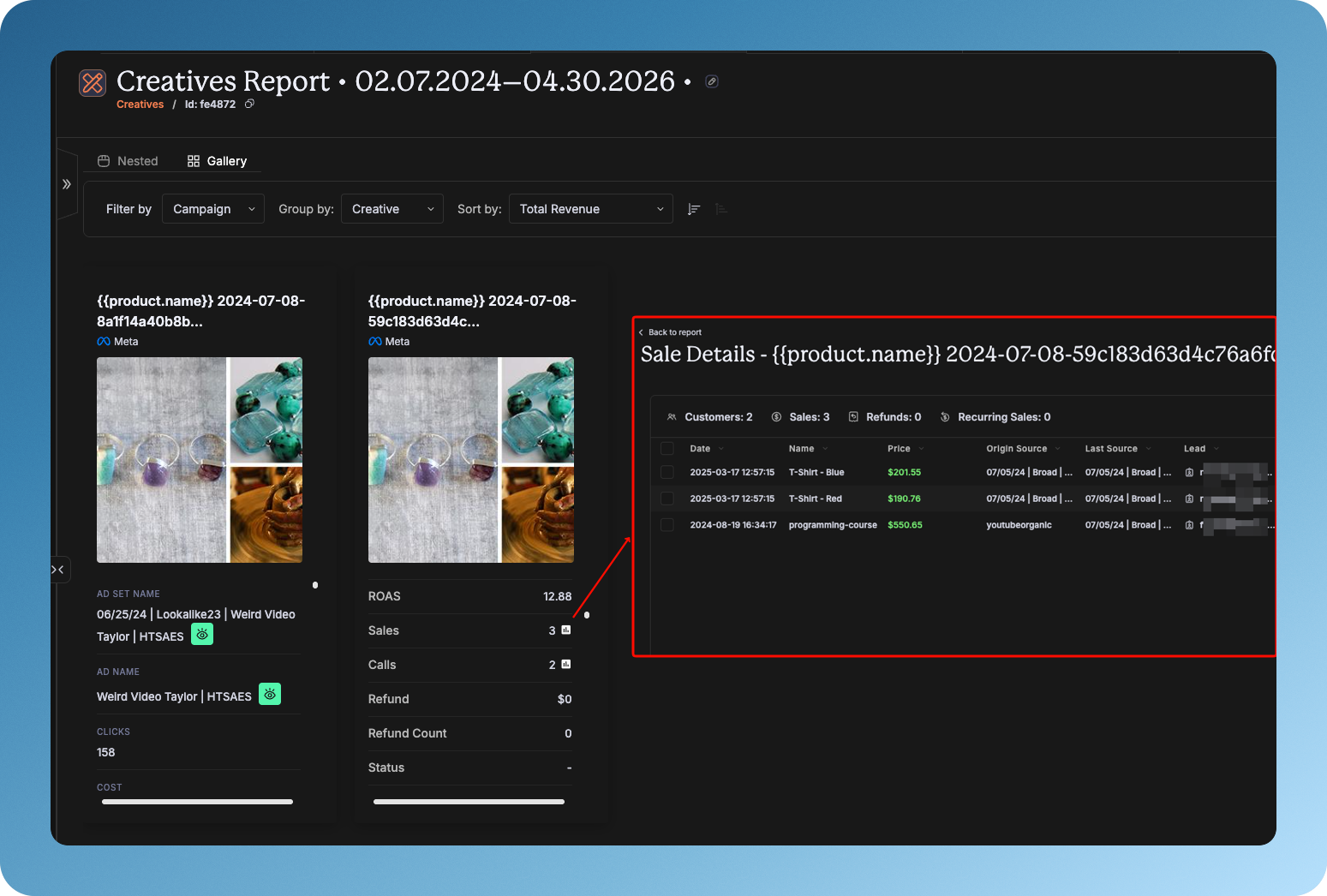
The Gallery View in the Creatives Report now supports Deep Mode, giving you the same granular metric analysis previously only available in Nested View. You can now drill into detailed performance data for each creative directly from the gallery layout. This ensures a consistent, in-depth experience regardless of which visualization mode you prefer.
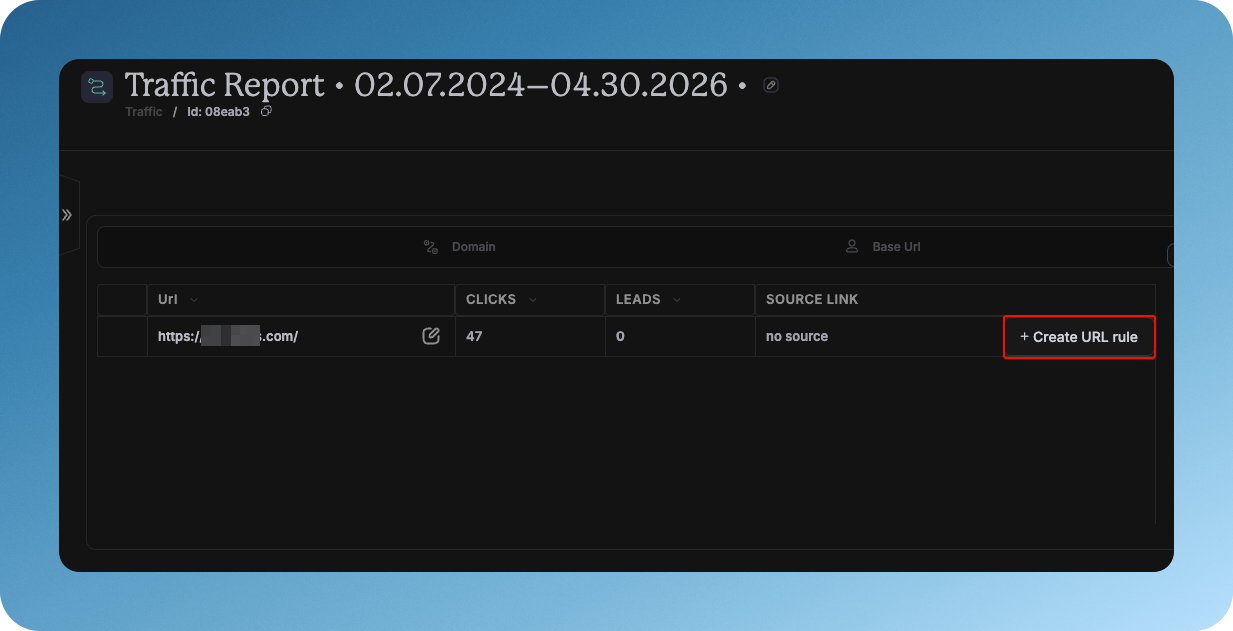
Traffic Report: Create URL Rules Directly from the Report
You can now create URL rules without leaving the Traffic Report. A Create URL Rule button appears inline for any normalized URL that doesn’t yet have a source link attached. This removes a key friction point for mapping untracked URLs and keeps your attribution setup moving faster.
Bing Ads: Keyword Tracking
Keyword tracking is now available for Microsoft Advertising (Bing), mirroring the experience already available for Google Ads. You can track which keywords are driving leads and revenue from your Bing campaigns, with full visibility into keyword-level performance inside Hyros reports.. The following parameters are necessary for tracking keywords:
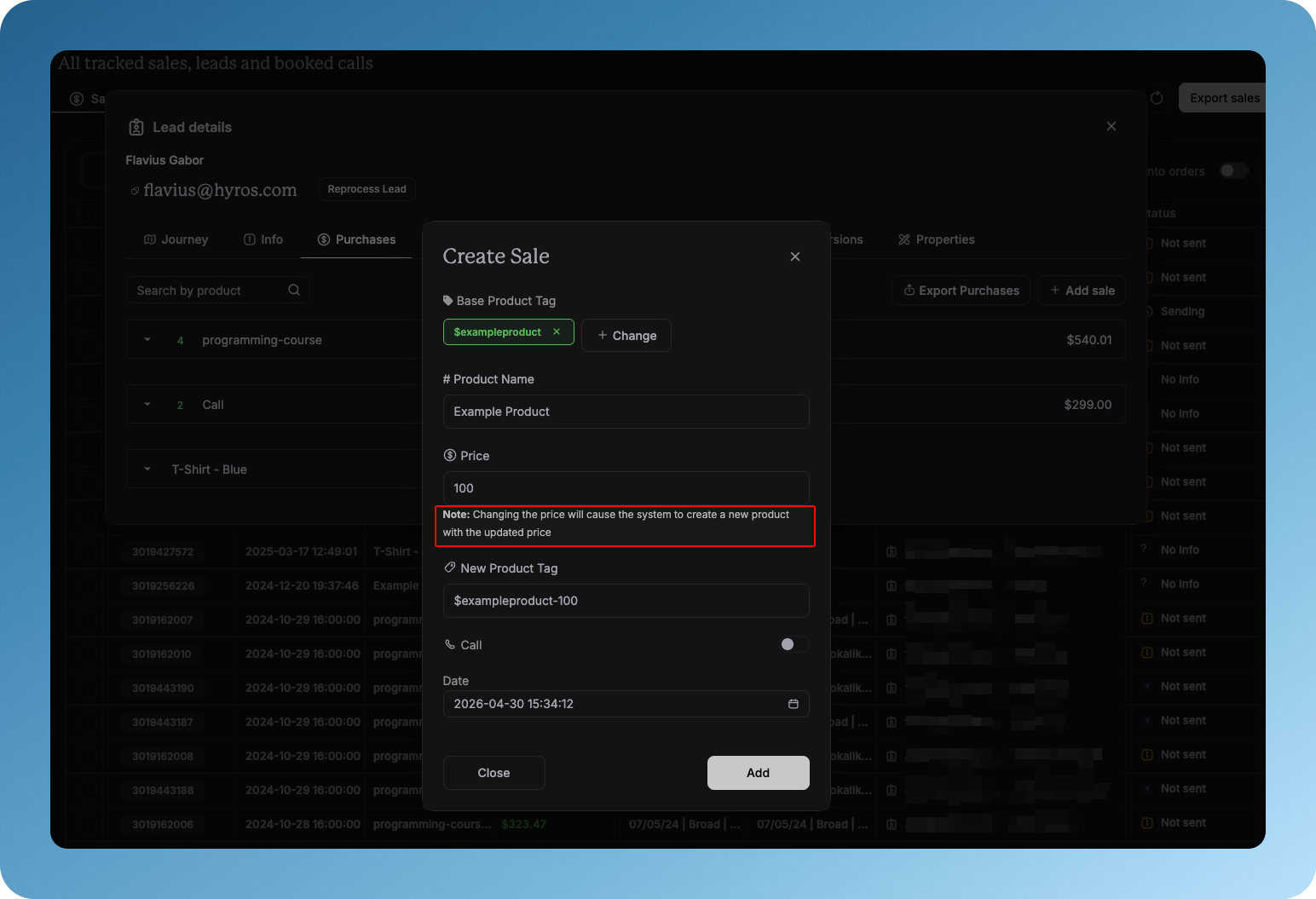
Sales Data: Custom Price When Adding a Manual Sale
When manually adding a sale to a lead, you can now set a custom price for the product tag. Hyros will create a new product entry at the specified price, ensuring existing sales tied to the original product remain unaffected. This gives you more flexibility when handling one-off or custom-priced transactions.
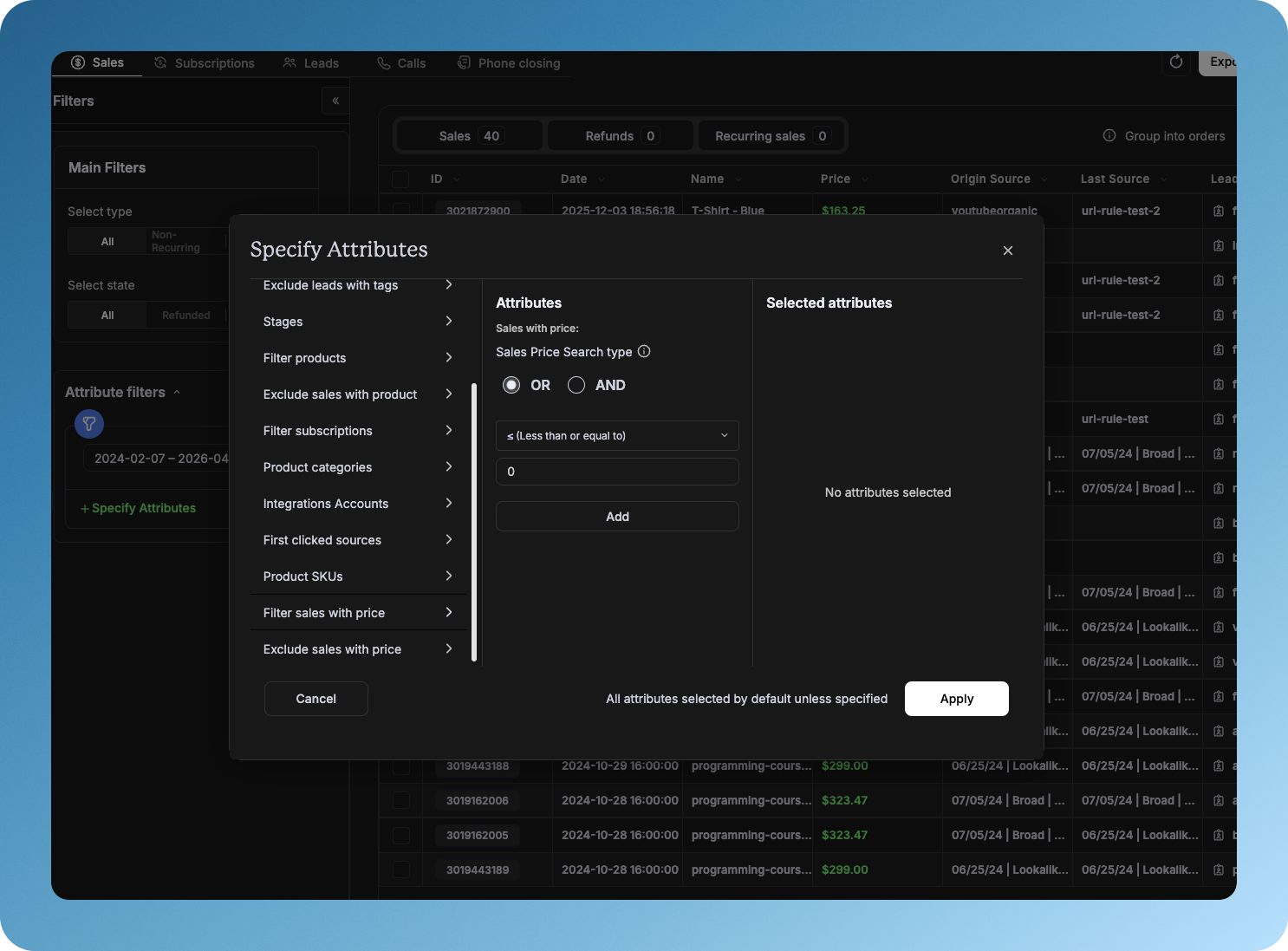
Sales Data: AND/OR Filter Mode Indicator
The Sales Data tag filter now displays a clear visual indicator showing whether your active filters are operating in AND or OR mode. No more guessing â the current filter logic is always visible, reducing confusion and saving time when building complex filter combinations.
Agencies: Copy Pinned Navbar Sections on Account Creation
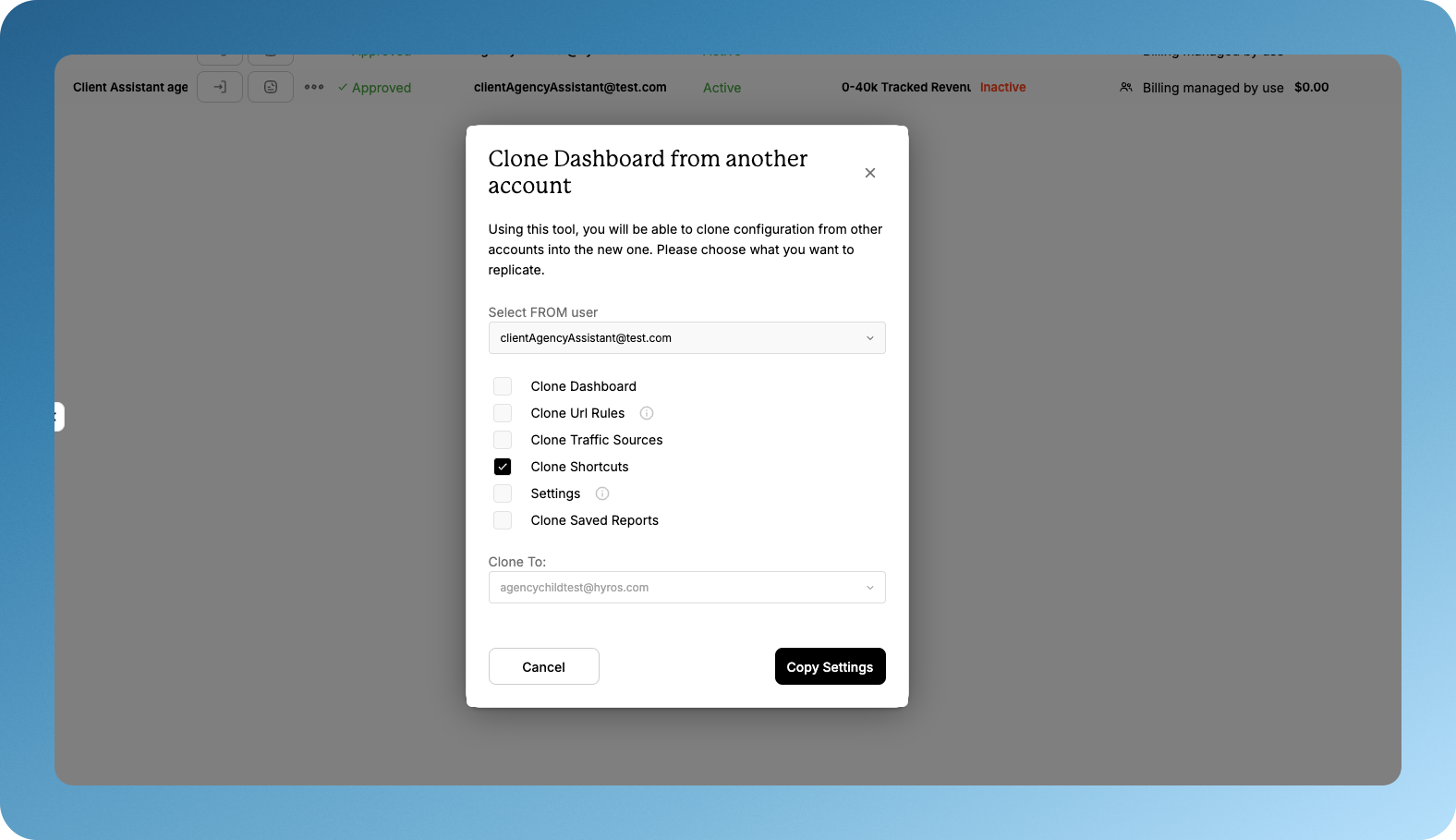
When agencies create new client accounts, pinned custom navbar sections are now included in the settings that get copied over. This means new accounts inherit the same navigation structure as your agency template â reducing manual setup time for each new client.
GoHighLevel: Charge Syncing
Hyros now syncs Charges from GoHighLevel. Sales generated via the GHL Charges feature are automatically captured and attributed, with deduplication handled to prevent double-counting. Refund processing for GHL Charges is also supported where applicable.
Attribution API: Group Reports by Facebook Campaign
The public Attribution API now supports grouping reports by facebook_campaign. If you’re pulling attribution data programmatically, you can now segment results at the Facebook campaign level directly from the API. Documentation has been updated to reflect the new grouping option.
Improvements & Performance
Meta Conversions: Batch Processing for Faster, More Reliable Delivery
Meta conversion events are now processed and sent in batches – up to 1,000 conversions per API request – instead of one at a time. This dramatically reduces processing time for accounts with high sales volume and eliminates a class of timeout errors that previously caused entire batches to fail. Each conversion now fails independently, so a single issue no longer rolls back thousands of events.
Meta Conversions: Richer Product Data Sent with Each Event
Hyros now includes additional product-level detail in the customData payload sent to Meta – including contents (with SKU, quantity, and price per item) for multi-product orders. This improves the quality of Meta’s product-level reporting and better aligns with Meta’s Conversions API requirements.
Meta SDK Updated to Version 25.0
The Meta SDK used by Hyros has been upgraded from v23.0 to v25.0, ahead of Meta’s June 2026 deprecation deadline. This keeps your Meta integration fully supported and compatible with the latest Meta platform features.
Lead Stage Conversions: Accurate Event Timestamps
When a Lead Stage Custom Conversion event is sent to Meta, Hyros now uses the date the lead stage was applied as the event timestamp – not the original opt-in date. This means conversion timing is far more accurate for leads who move through stages weeks or months after first opting in, improving Meta’s ability to match and attribute events correctly.
Live Cost Framework: Cache Infrastructure + Meta Implementation
The foundation for Live Cost – real-time ad spend data in reports – has been built and deployed for Meta/Facebook. A background job pre-warms today’s ad spend data into cache before users load their reports, so cost figures are available immediately rather than fetching live on every page load. This is the first phase of a broader rollout across all ad platforms.
Reporting: Responsive UI for New Designs
The reporting interface has been updated to dynamically adapt across screen sizes, from 1080p to 1440p and beyond. Layout elements now scale and reposition based on your viewport, ensuring a clean, usable experience regardless of monitor resolution.
Reports: Organic & Paid Source Clarity in Date-Segmented Reports
Date-segmented reports with Prioritize Organic or Prioritize Paid settings now include dedicated columns – such as “Paid Source Sales” and “Organic Source Sales” – making it clear which sales belong to which attribution bucket. This eliminates a common source of confusion between organic and no-source data in these report types.
Snapchat & TikTok: Faster Source Stats Retrieval
Significant delays in fetching stats from Snapchat and TikTok during the source stats recalculation job have been investigated and resolved. This reduces overall job execution time and prevents downstream timeouts that were impacting report accuracy for affected users.
New Sales Integrations: “Grab Currency from Event” Enabled by Default
All newly connected sales integrations now have the Grab Currency from Event setting enabled by default. This ensures currency is automatically detected from the incoming event data, reducing setup friction and preventing mismatches for multi-currency accounts.
Bug Fixes
Keywords Report: Campaign Name and Ad Group Now Visible Together
When grouping by Keyword in the Google Ads Keywords Report, both the Campaign Name and Ad Group columns can now be displayed simultaneously. Previously, only one could be shown at a time due to a grouping logic conflict – this has been resolved.
Reporting: Source Count Resets After Switching from Ad Level Report
Switching away from the Ad Level Report and back to another report (e.g. Trends) no longer incorrectly resets the source count to 0. This prevented users from generating new reports without a full page reload – the issue is now fixed.
Reporting: Trends Report Date Range Limit Corrected
The Trends Report was incorrectly showing a “timeframe cannot be larger than 10,000” error when users entered date ranges over 365 days. The limit has been corrected to accurately reflect the actual allowed range.
Report Export: 100% Error Rate Resolved
The Report Export function was failing at a 100% rate due to an internal processing error. This has been identified and fixed – report exports are now working reliably.
PayPal: Isolated Webhook Processing Topic
PayPal webhook events now process on a dedicated Kafka topic, separate from other integrations. Previously, a delay in PayPal processing could slow down webhook delivery for all other integrations. This change ensures PayPal issues are fully isolated and don’t affect your other connected platforms.
Hyros AIR
New B2B Non-Core Onboarding Flow
A brand new self-serve onboarding experience has been built for B2B non-core users. The five-step wizard walks new users through website setup (with automatic MiniMind generation), tracking script installation, payment processor connection, email provider connection, and final activation. On completion, a default B2B flow is automatically created – so users are ready to send AI-powered emails from day one with minimal manual configuration.
Add Custom AI Models for Existing Providers
Admins can now add new AI models to existing providers (e.g. additional ChatGPT models or Gemini agents) directly from the AIR settings. The system validates that the model exists and supports the required capabilities before allowing it to be added, preventing misconfiguration.
Configurable Per-Model LLM Rate Limits
LLM rate limits are now configurable on a per-model, per-provider basis rather than using a single global limit. Admins can view and update rate limit configurations from the UI, and changes propagate instantly across all running instances. This gives much finer control over API usage and prevents one model’s limits from affecting others.
Integration Health Registry: Smart Error Handling for Email Delivery
AIR now tracks the health of each email integration in real time. When a provider returns an error – whether a rate limit (429), a provider outage (5xx), or an account-level issue (auth failure, credits exceeded) – the system marks that integration as unhealthy and automatically skips it in subsequent send cycles until it recovers. This prevents hundreds of wasted API calls and duplicate error notifications when a single integration has a problem. Rate limit wait times are now also read directly from the provider’s Retry-After header for maximum efficiency.
Batch LLM Generation for Scheduled Emails
Emails with known send times are now generated using the AI provider’s Batch API, which runs on a separate, higher-capacity quota. This offloads a significant portion of LLM calls away from the real-time queue, freeing capacity for interaction-triggered emails and reducing overall generation latency. Metrics are fully instrumented for ongoing monitoring.
Free Trial Reflected in Stripe
New AIR accounts now have their free trial status mirrored in Stripe from the moment they sign up. No invoices are generated during the trial period, and usage reporting to Stripe only begins once the internal trial concludes. This improves customer lifecycle tracking without changing how the trial itself works.
Improvements & Performance
Shopify Stores: More Accurate Product Data in Emails
For Shopify stores, AIR now uses the Shopify API to fetch structured product data – including correct product names, prices, and images – instead of relying solely on web scraping. SmartFetch is now scoped exclusively to Shopify stores. For pages with multiple products (e.g. collections or category pages), AIR detects ambiguity and avoids generating emails with incorrect or mixed product data.
Web Scraping: Improved Reliability and Fallback Handling
The underlying web scraping layer has been significantly hardened. Gaps in how images, redirects, relative URLs, and JavaScript-rendered pages are handled have been addressed. If scraping fails during strategy execution, a fallback mechanism now kicks in automatically – and if that also fails, the composition is safely discarded rather than sending an email with empty content. Scraped data is also now cached in OpenSearch, so repeat requests for the same URL skip the HTTP call entirely, reducing external API calls and avoiding rate limit issues.
Per-Integration Email Throttling
The email scheduler now enforces a configurable cap on how many emails can be enqueued per integration per scheduling cycle. This prevents a single high-volume integration from monopolizing the send queue and delaying delivery for all other integrations sharing the same processing resources.
WebSocket-Based Email Generation in SDR Tester
The SDR Tester’s email generation flow has been migrated from a synchronous HTTP request to a WebSocket-based model. This eliminates failures caused by load balancer idle timeouts on long-running generation requests and improves overall reliability for the SDR testing workflow.
Lead Migration Performance: Thought Process Switching
Lead interaction migrations between thought processes now run in bulk rather than one at a time, significantly improving performance when switching a large number of leads to a new AI configuration. A bug where migrations were incorrectly enqueued without a product ID has also been fixed.