

How to Track Offline Conversions from Online Ads (Google + Meta + CRM Setup)
TL;DR
- Offline conversion tracking pushes real-world sales back to the ad platforms that drove the click
- The pipeline is four steps: capture click ID, persist on CRM, trigger on close, push via API
- A setup only works when ad-platform offline conversions match CRM closed-won within 10%
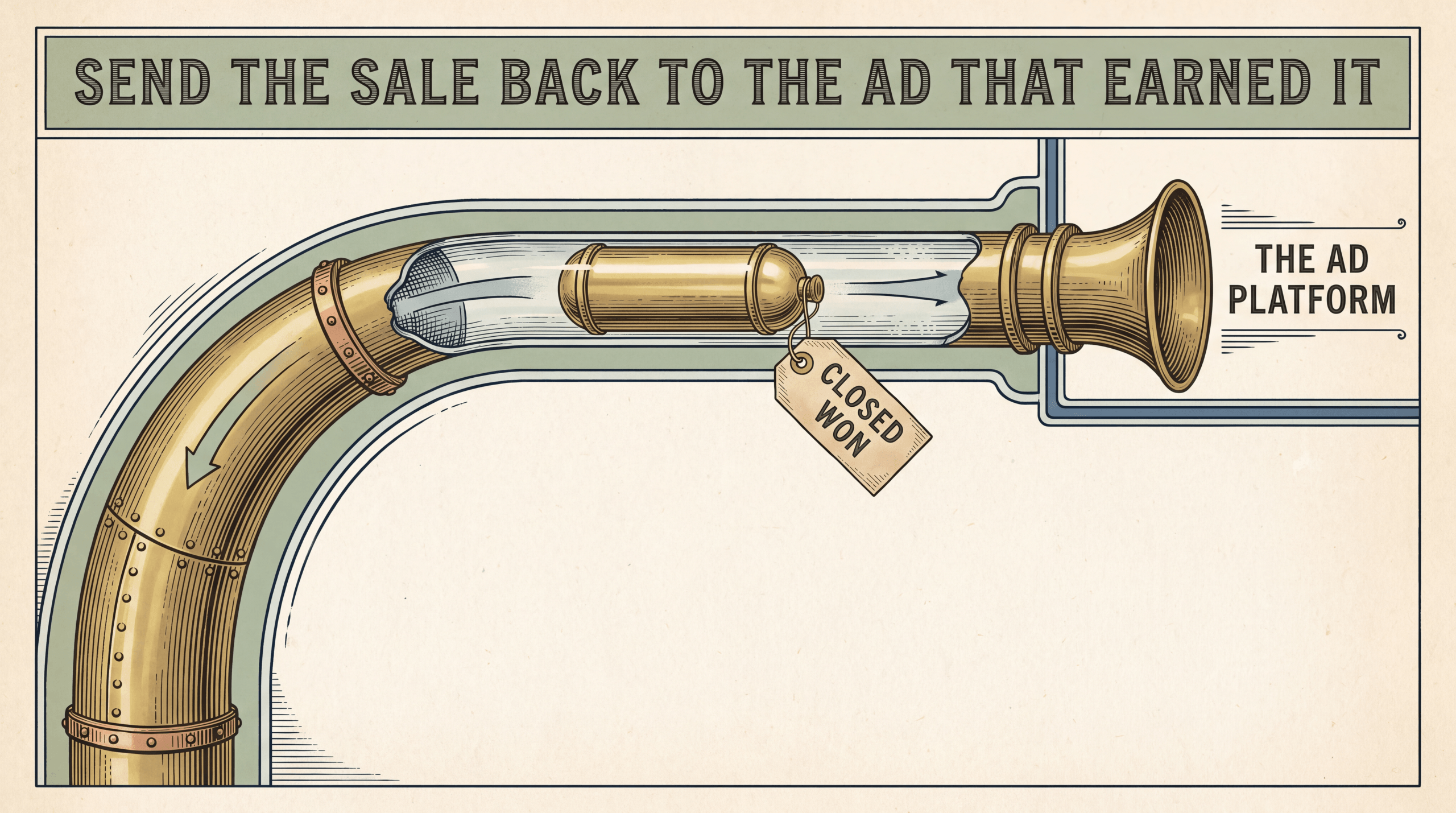
Offline conversion tracking sends real-world sales (phone calls, in-store visits, B2B closed-won, mailed checks) back to the ad platforms that drove the click. The pipeline is 4 steps: capture click ID at landing, persist on the CRM, trigger a webhook on close, push to Google Offline Conversions API + Meta CAPI for Offline Events. Google has two paths: GCLID-based Offline Conversion Imports plus Enhanced Conversions for Leads (hashed email/phone safety net). Meta consolidated the legacy Offline Events tool into CAPI for Offline Events through 2025. Native APIs are free; the cost is engineering time and ongoing maintenance every vendor schema change, which UID-based attribution platforms abstract. A setup is “working” only when ad-platform offline conversions match CRM closed-won within 10%. Anything else is hopeful, not confirmed.
What “Offline Conversion” Actually Means (And Why Online-Only Tracking Misses It)
Most ad budgets are measured against what the pixel can see: a click, a page view, a purchase that completes in the browser. Anything that happens off the website is dark.
That is a problem for any business where the close happens elsewhere:
- A roofing prospect clicks a Google Ads campaign, calls the office, books a $14,000 reroof on the phone.
- A B2B SaaS buyer clicks a LinkedIn ad, talks to sales over six weeks, closes inside HubSpot at $42,000 ACV.
- A shopper clicks a Meta ad and pays at the register the next weekend.
- A coaching client clicks a YouTube pre-roll and mails a check for the $25,000 program two weeks later.
In every case, the ad platform sees the click, assumes no sale, and starves the campaign of spend. The high-ticket use cases where attribution matters most are the same ones online-only tracking can never see.
Offline conversion tracking fixes that gap. It takes a sale that closed in the real world (phone, register, CRM deal stage, accounting system) and pushes it back to the ad platform that drove the original click, so the algorithm optimizes against actual revenue instead of fragments of it. A delayed click-to-purchase that still happens on the website is a delayed online conversion, not an offline one. Offline conversions are specifically the events that never touch a browser pixel. For the part of this problem that happens inside the website session, see our guide on server-side tracking.
The 4-Step Pipeline Every Offline Conversion Tracking Setup Uses
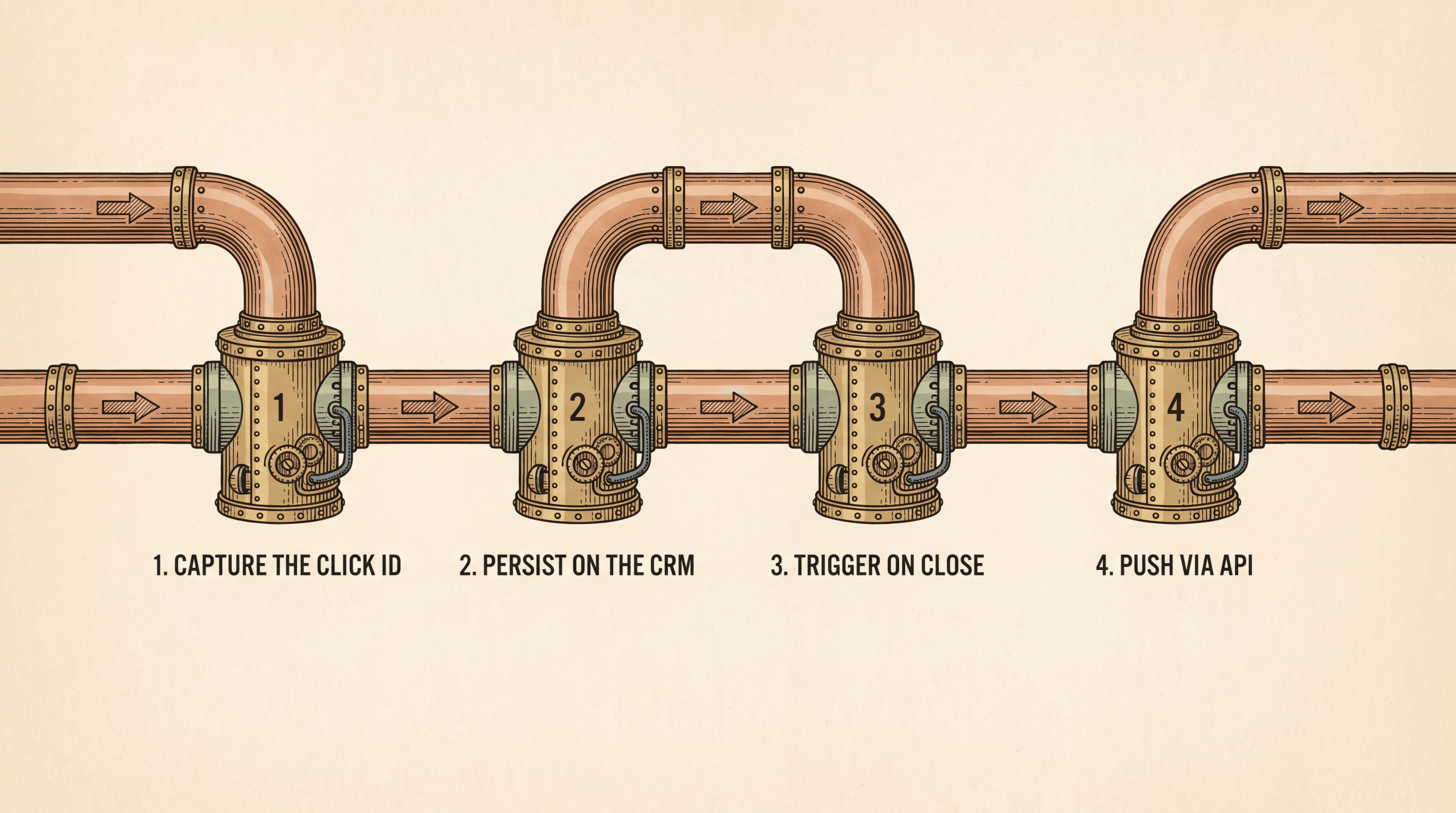
Whether you wire this yourself with native APIs or hand it to a platform like Hyros, the architecture is identical. Four steps:
Step 1. Capture the click ID at landing. Each platform appends an identifier to the ad URL: Google’s gclid, Meta’s fbclid, TikTok’s ttclid, LinkedIn’s li_fat_id. A script on the landing page reads the query string, drops the value into a first-party cookie, and copies it into a hidden form field on every lead-capture surface.
Step 2. Persist the click ID on the CRM record. The hidden field flows into the CRM at lead capture. The click ID has to be stored on the contact AND the opportunity. If you only store it on the contact, the deal-closed trigger fires with nothing to send.
Step 3. Trigger on the offline event. The conversion happens later: deal stage moves to “Closed Won,” POS records a sale tagged with the customer’s email, call duration crosses a threshold, accounting marks a check as cleared. The trigger fires a webhook with the deal payload.
Step 4. Push to the ad platform via API. The webhook receiver hashes the PII, packages the click ID + event metadata + value, and sends an HTTPS POST to each platform’s offline endpoint: Google Offline Conversions API, Meta CAPI for Offline Events, TikTok Events API. Same payload shape, parallel calls.
That is the entire architecture. The same four steps apply whether the trigger is a phone call duration or a wire payment clearing. The difference between rolling it yourself and using a platform is who maintains each step when vendor APIs change (and they change constantly).
For agencies running this across many clients, see agency attribution.
Capturing the Click: GCLID, fbclid, and the Hidden CRM Field
This is where most setups quietly fail. The implementer wires the click ID into the standard contact form, declares victory, and moves on. Two weeks later, half the offline conversions are missing because the phone-call capture, the chat widget, and the trade-show form never got the same field.
Every lead-intake surface needs the click ID: standard contact forms (hidden input from URL parser or cookie), phone-call capture (call tracking number maps caller back to the original click), chat widgets (custom attribute pass-through on Intercom, Drift, Tidio), pop-ups and lead magnets (same hidden field pattern), and any manual rep-entered lead (an attribution dead zone you document, not fix).
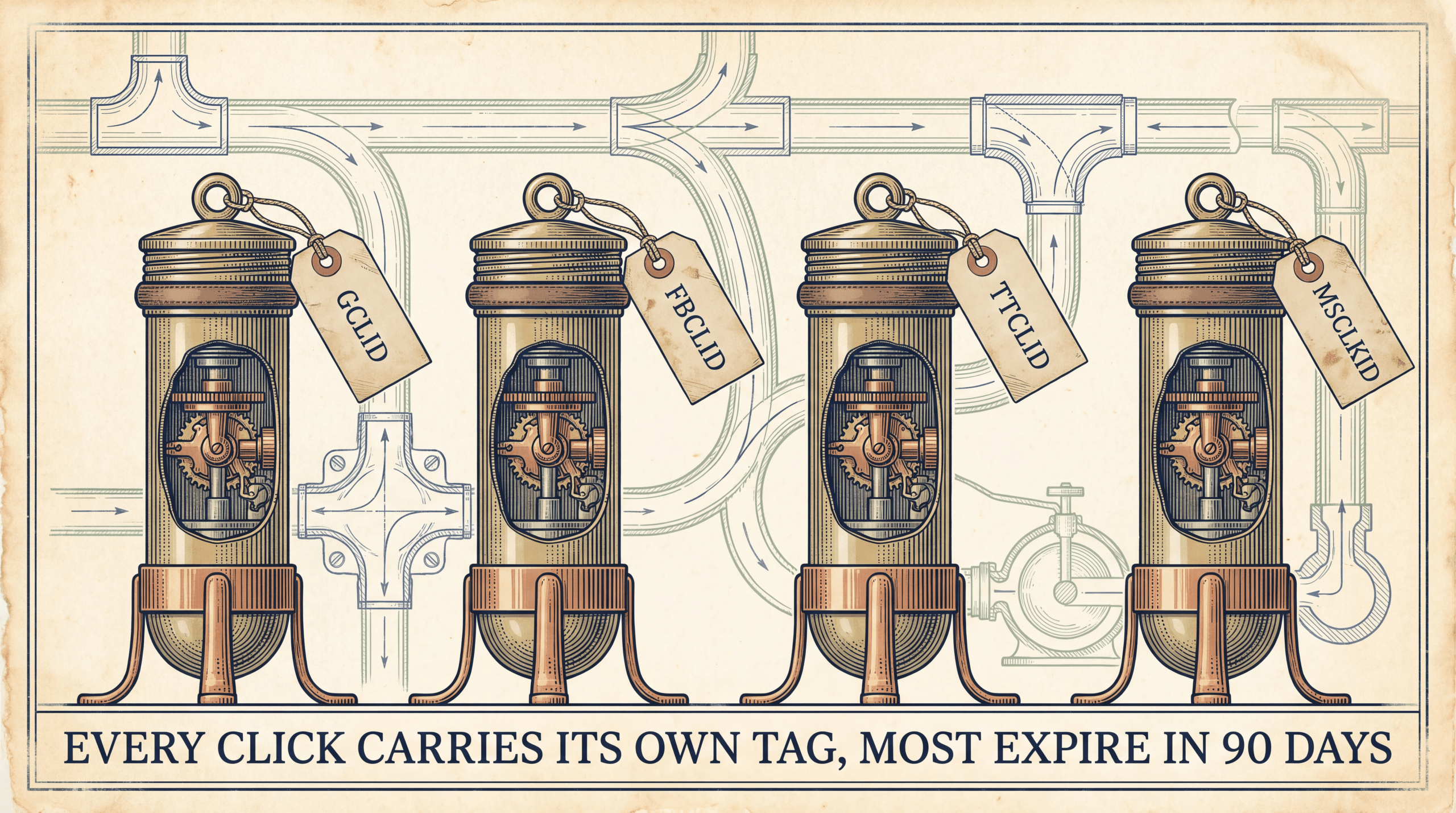
The click IDs to capture, by platform:
| Platform | Click ID Param | Typical Lifetime |
|---|---|---|
| Google Ads | gclid (or wbraid / gbraid for iOS app) | 90 days default for offline imports |
| Meta (Facebook, Instagram) | fbclid | 90 days typical |
| TikTok Ads | ttclid | 30 days typical |
| LinkedIn Ads | li_fat_id | 90 days typical |
| Microsoft Ads | msclkid | 90 days |
Verify each platform’s current click-ID lifetime before publishing your setup. Google has changed the GCLID window before; Meta and TikTok update their docs without announcement.
The custom field has to live on the contact, the lead (if your CRM separates them), AND the opportunity. The deal-closed trigger fires on the opportunity, but the click ID was captured against the contact. Three places, easy to miss, accounts for most “I set this up and it does not work” complaints.
A related technique on the Google side is Enhanced Conversions for Leads, which uses hashed email and phone to match even when the GCLID is missing or expired. Treat it as a safety net alongside the GCLID path. See Google Enhanced Conversions for the full setup.
Google Offline Conversions API: GCLID-Based Upload Path
Google has two paths for offline conversion data, and you usually want both running.
Path 1: Classic Offline Conversion Imports (GCLID match). Collect the GCLID at landing, persist it on the CRM, and when the deal closes send Google a record with the GCLID, conversion name, time, and value. Google matches the GCLID back to the original click and credits the right campaign. Three sub-paths for getting data in: manual CSV upload through the Google Ads UI (works, does not scale), Google Ads API direct call from your webhook receiver (the production standard), or scheduled imports via native CRM connectors (Salesforce direct, HubSpot through middleware). The GCLID has a click-to-import upper bound that runs roughly 90 days for the default conversion category. Verify the current window in Google Ads Help before building against a specific number.
Path 2: Enhanced Conversions for Leads (hashed PII match). When the GCLID is missing or expired, this fills the gap. You send hashed email and phone alongside the conversion event, and Google matches against the signed-in Google account of the user who clicked. No GCLID required.
Run both together. GCLID-based imports are the most accurate when the click ID survives the funnel. Enhanced Conversions for Leads is the safety net for the cases where it does not.
| Method | Match Key | Strength | When to Use |
|---|---|---|---|
| Classic Offline Conversion Imports | GCLID | Highest accuracy when click ID survives | Default path for all Google offline events |
| Enhanced Conversions for Leads | Hashed email + phone | Recovers conversions when GCLID is missing | Safety net layer; run in parallel |
| CSV upload | GCLID or PII | Same accuracy as API, lower velocity | One-off backfills only |
Meta CAPI for Offline Events: The 2025 Migration That Changed the Setup
Meta consolidated its offline tracking infrastructure into the Conversions API through 2025. The standalone Offline Events tool (the CSV-upload-in-Events-Manager workflow) was deprecated, and all new offline events now flow through CAPI for Offline Events. Legacy workflows are read-only or removed; new pipelines have to use the CAPI endpoint. Verify the current deprecation and grandfathering status against Meta’s CAPI for Offline Events documentation before you build.
Setup is four stages:
Stage 1. Dataset in Business Manager. Create or select a dataset (Meta renamed Pixels to datasets; the UI still uses both terms). The dataset receives events from your online Pixel/CAPI setup AND your offline events. Same dataset ID, multiple channels.
Stage 2. Generate the CAPI access token. Business Settings → Data Sources → Dataset → Settings → Generate Access Token. Treat it like a password; store it in environment variables on the server doing the API calls.
Stage 3. Build the event payload. At least one match key per event (hashed email, hashed phone, external ID, or fbclid) is required. Three or more match keys score higher on Meta’s Event Match Quality scale. EMQ scores below 6 (out of 10) usually mean a match key is missing or the hashing is wrong.
Stage 4. Send via direct API or partner integration. You can POST straight to the Meta Graph API or route through a managed integration. The endpoint accepts an array of events, each with event_name, event_time, userdata (the match keys), and customdata (value, currency, order ID).
The same mechanics that govern online CAPI apply here. See our guide on Meta Conversions API setup for the full walkthrough. The offline endpoint is the same API with a different action_source value and an emphasis on match keys over browser cookies.
The CRM Webhook Pattern: One Trigger, Multi-Platform Push
This is the highest-impact piece of the setup, and where most marketers stop because the manual CSV path looks easier than building a webhook receiver. Build it once and every offline conversion fires to every ad platform automatically, with no human in the loop.
The recipe, using HubSpot as the trigger source:
HubSpot workflow. Trigger when “Deal stage = Closed Won.” Send webhook with deal payload (deal ID, value, contact email, phone, GCLID, fbclid, ttclid, close date).
Webhook receiver. A simple HTTP endpoint on Cloudflare Workers, AWS Lambda, Vercel, or your own server.
Hash the PII. SHA-256 hash the email and phone. Click IDs go through unhashed.
Parallel POSTs. Google Ads API offline conversion endpoint, Meta CAPI for Offline Events, TikTok Events API offline endpoint, LinkedIn Conversions API if applicable.
Log and retry. Log each response. On error, queue for retry with exponential backoff.
The same pattern works elsewhere: Salesforce uses Flow, Pipedrive/Zoho/Keap offer native webhook actions on deal stage change, Close.com requires Pro, custom CRMs use a database trigger or app-layer hook. Trigger source changes; the pipeline does not.
A webhook receiver costs roughly two engineering days to build for one CRM and two ad platforms. Adding a third platform is another half day. Maintaining it costs time every quarter when a vendor API changes. That maintenance is what attribution platforms abstract away.
Phone Calls, In-Store Visits, B2B Closed-Won, Mailed Checks: Use-Case Walkthroughs
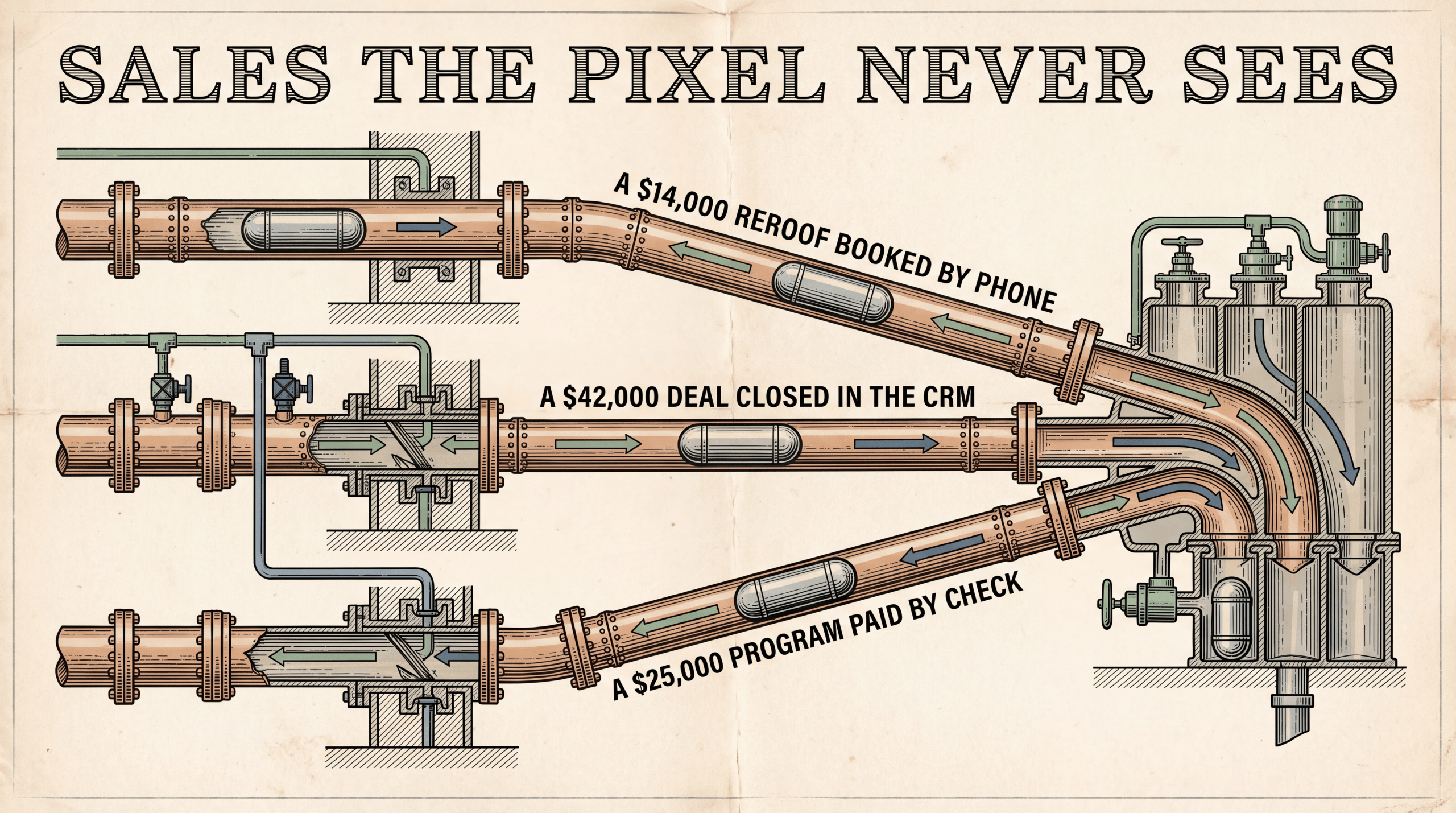
Each of the four high-value offline conversion types maps to the same pipeline. Only the trigger source changes.
Phone calls. Call tracking numbers (CallRail, CallTrackingMetrics, WhatConverts) assign a dynamic number to each visitor session and stamp the call record with the original click ID. The trigger fires when the call meets a qualification threshold (duration above 60 seconds, or a sales-team disposition). For high-ticket service businesses where phone is the primary close channel, this is the highest-impact offline conversion setup. For the full call-side build, see call tracking attribution.
In-store visits and POS sales. Two patterns. Pattern A: the POS captures the customer’s email at checkout. Hashed email gets pushed to Meta CAPI for Offline Events and Google Enhanced Conversions for Leads, both of which match against ad clicks. Pattern B (Google-only): Google Store Visits uses location signals from signed-in Android and iOS users to attribute in-store visits automatically. Store Visits has eligibility requirements (minimum number of physical locations, certain categories excluded); verify current Google Ads Help thresholds before relying on it.
B2B closed-won. The canonical CRM webhook use case. Deal stage moves to Closed Won, workflow fires, receiver pushes deal value to Google and Meta. The complication is the long sales cycle: a deal that closes 90 days after the original click runs into GCLID expiration risk. Run Enhanced Conversions for Leads in parallel as the safety net. See our guide on B2B attribution for the full problem.
Mailed checks and wire payments. The trigger is the accounting system, not the CRM. QuickBooks, Stripe, or a custom invoicing tool fires when payment clears. The payment record needs to carry forward the original click ID, which means it has to flow from CRM to invoice to payment record (three hops, often broken). Common in high-ticket coaching and B2B services, and the use case where GCLID expiration burns most often.
The best setups treat each use case as a separate webhook flow landing in the same receiver: phone from CallRail, POS from Shopify POS or Square, B2B from HubSpot or Salesforce, wire payments from QuickBooks. One receiver, four trigger sources, same downstream API calls.
How Hyros Collapses the Pipeline (And When You Do Not Need It)
Native APIs work. Google Offline Conversions API, Meta CAPI for Offline Events, and TikTok Events API are all free and well-documented. With one engineer or a technical agency you can roll your own pipeline and never pay a third party. The platforms want you to do this. That is why the APIs are free.
The trade-off is engineering time, not money. Initial build runs 1-3 engineer-weeks per platform. Ongoing maintenance is the bigger cost: every vendor schema change, every endpoint deprecation, every match key update means someone has to ship code. Meta consolidating Offline Events into CAPI through 2025 was the most recent example; there will be another one this year. EMQ scores drift, Google diagnostic flags drift, and identity stitching for lost click IDs is something native APIs cannot recover. Enhanced Conversions for Leads helps but only on Google.
UID-based attribution platforms like Hyros abstract that maintenance layer. Same four steps, but the platform handles the API calls, schema changes, retry logic, and identity stitching across email/phone/device when the click ID was lost. According to a 600-customer review on CheckThat.ai, customers report 29-33% more conversions captured versus native platform reporting.
You do not need a managed platform when: single ad platform, single CRM, simple deal-stage trigger, low offline volume (<100/month), and in-house engineering capacity.
You probably do when: multi-platform (Google + Meta + TikTok + LinkedIn), multiple trigger sources (phone, CRM, POS, accounting), high-ticket use cases where every lost conversion is a $5,000+ miss, or agencies running this across many clients (Hyros works with 4,000+ businesses).
Pick the layer that matches the team’s tolerance for maintenance overhead. The pipeline is the same either way.
30-Minute Validation: How to Confirm Offline Conversions Are Actually Landing
A setup that looks plumbed is not the same as a setup that is working. Four tests before declaring done:
Test 1. Fake conversion end-to-end. Create a test deal, move it to Closed Won, watch the webhook fire. Confirm receipt in the webhook receiver logs. Confirm the event appears in Google Ads (Conversions → Diagnostics, “received” status against the test GCLID) and Meta Events Manager (Dataset → Activity, test event with EMQ score). End-to-end should take under 5 minutes.
Test 2. Event Match Quality. In Meta Events Manager, open Dataset → Diagnostics. Target EMQ 6+ out of 10, ideally 8+. Below 6 means match keys are missing or hashed incorrectly. Verify the current Meta EMQ scale before treating any specific number as canonical.
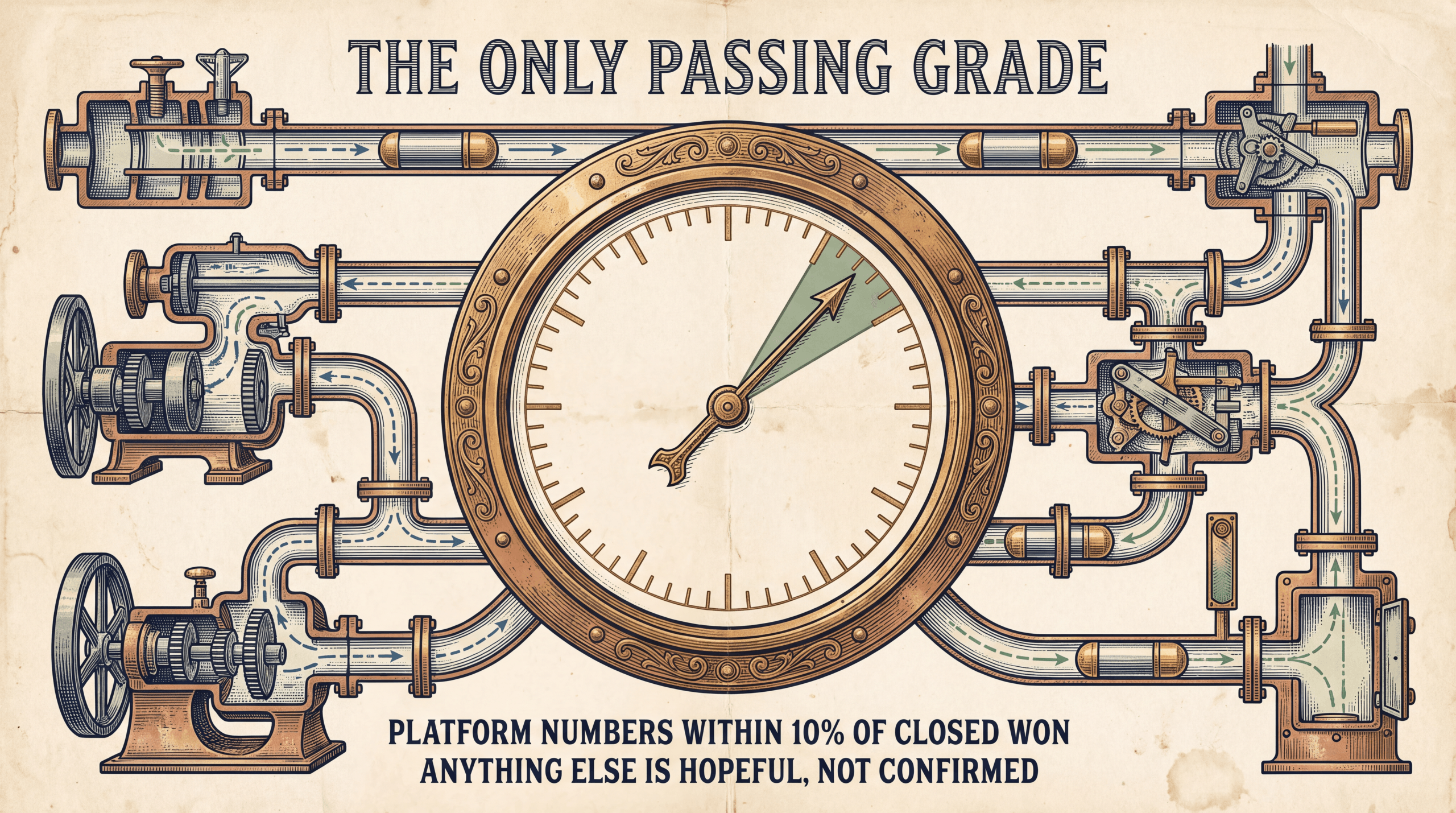
Test 3. Reconcile against CRM closed-won. The most important test and the one most setups skip. Pull closed-won deal count from the CRM for the last 30 days. Pull offline conversion count from Google Ads and Meta Events Manager for the same period. Numbers should match within roughly 10%. Wider gap means click IDs are being lost somewhere: missing field on the opportunity, expired GCLIDs, channels never wired, or hashing errors corrupting match keys.
Test 4. Spot-check by attribution path. Pull 5-10 closed-won deals, look up the click ID on each CRM record, and search for it in the ad platform’s offline conversion logs. Any deal with a valid click ID at lead capture should be present. Missing ones trace backward through webhook receiver and CRM workflow logs until you find the drop point.
A setup is “working” only when ad-platform offline conversion counts match CRM closed-won segment by segment. Anything else is hopeful, not confirmed.
Frequently Asked Questions
Can I track phone-call conversions back to the original ad?
Yes. Call tracking platforms (CallRail, CallTrackingMetrics, WhatConverts) assign a dynamic phone number to each visitor and stamp the call record with the original click ID. When the call meets a qualification threshold (typically duration over 60 seconds, or a sales-team disposition), the offline conversion fires to Google Offline Conversions API and Meta CAPI for Offline Events. The campaign that drove the call gets credit.
How long is the attribution window for offline conversions?
Varies by platform. Google Offline Conversion Imports historically allows roughly 90 days for default conversions. Meta CAPI for Offline Events typically accepts events up to 62 days after the click. TikTok and LinkedIn each set their own windows. Verify current windows in each platform’s developer docs; vendors update these without announcement. For B2B sales cycles longer than 90 days, supplement with Enhanced Conversions for Leads on Google.
Do offline conversions count for ROAS calculations?
Yes, when sent back with a value. The platform treats offline conversions identically to online ones in its ROAS math. This is the whole reason to wire offline tracking. Campaigns driving phone calls, B2B deals, and high-ticket sales look unprofitable on platform ROAS until the offline conversions land. Once wired, the same campaigns often jump from “looks like it is losing money” to “highest-ROAS channel in the account.” See our ROAS calculation guide.
What is the difference between Google Offline Conversion Imports and Enhanced Conversions for Leads?
Offline Conversion Imports match on the GCLID. Accurate when the click ID survives the funnel. Enhanced Conversions for Leads matches on hashed email and phone, which works even when the GCLID is missing or expired. Run both in parallel. Imports is the primary path; Enhanced Conversions for Leads is the safety net.
Why do my offline conversions show fewer events than my CRM closed-won count?
Common culprits in rough frequency order: the click ID field is missing on the opportunity object (only on contact); the deal closed after the GCLID expiration window; the hashed email or phone is malformed (whitespace, casing, country-code); leads from phone or trade show never had a click ID at all; the webhook receiver is failing silently. Run the CRM-to-ad-platform reconciliation test to isolate the cause.
Do I need a third-party platform like Hyros for offline conversion tracking?
Not necessarily. Native APIs from Google, Meta, TikTok, and LinkedIn are free and well-documented. With engineering capacity, a single CRM, and one or two ad platforms, you can roll your own. The trade-off is ongoing maintenance every time a vendor changes its schema. Platforms like Hyros abstract that work and add UID-based identity stitching for cases where the click ID was lost.
The Bottom Line
Offline conversion tracking is the highest-impact attribution upgrade for any business where the close does not happen on the website. Phone-call businesses, B2B SaaS, multi-client agencies, high-ticket coaching, ad-driven retail foot traffic. Without it, the campaigns driving the highest-value sales look unprofitable, get starved of spend, and quietly die. With it, the algorithm finally sees the revenue and optimizes for it.
The pipeline is four steps: capture, persist, trigger, push. The steps do not change whether you wire it yourself or use a managed platform. The difference is who maintains the wiring when the vendors change.
If your ad-platform ROAS does not match your CRM closed-won revenue, the gap is your offline tracking. Fix it and the next 90 days of ad spend optimizes against actual revenue instead of fragments of it. For a comparative look at the tools that handle this at scale, see our best attribution tools guide.
Related in This Series
Cluster: Technical Setup
More from the Technical Setup series: